Does Paying Ransomware Work?
Updated on October 21, 2022, by Xcitium
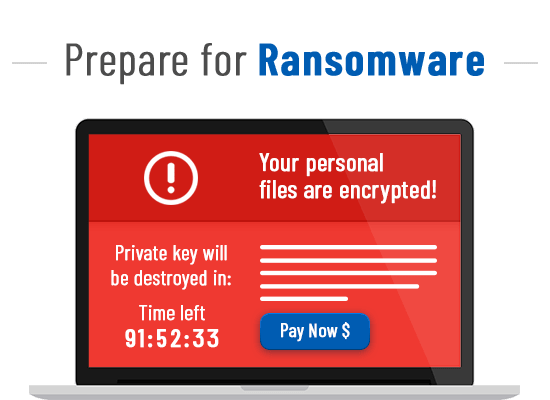
Ransomware is a type of malware that encrypts a victim’s device and prevent access to it until a sum of money is paid. As cyber threats evolve, ransomware is fast becoming a major problem. The primary motive behind ransomware attacks is to extort money from the victims.
Unlike other malware programs that allow hackers to steal valuable private user data and sell it to third parties in the dark web, ransomware directly targets the victims, holding their files hostage until a ransom is paid.
The alarming sophistication of ransomware attacks makes it difficult for cybersecurity experts to come up with a working solution. Nevertheless, even the most advanced ransomware has an inherent vulnerability — it must communicate with its creator to receive instructions and exfiltrate the targeted data. During that process, it leaves a signature mark that can be detected on the network.
Some recent ransomware variants complete their task in the background without making a single call to the Internet. Other ransomware variants attempt to destroy data recovery options by encrypting any connected network drives- deleting files and system restoration points or even remaining dormant until after a backup cycle.
Paying a ransomware demand does not guarantee that attackers will provide a working decryption key or restore access to your files. Many victims who pay never recover all of their data, while others experience additional extortion attempts. Paying a ransom can also encourage future attacks by funding cybercriminal operations.
Instead of paying, organizations should isolate infected systems, notify their incident response team, preserve forensic evidence, remove the malware, and restore data from verified backups whenever possible.
Should You Pay Does Paying Ransomware Work?
If your computer gets infected with ransomware, the attacker may demand you to pay ransom in exchange for decrypting or regaining control of your computer and files. In recent times, ransom amounts have steadily gone up in the range of thousands of dollars. It’s worth noting that in the vast majority of ransomware attacks, the attacker does not have access to the victim’s information, instead only the ability to prevent the victim from gaining access to it.
If you choose to pay the ransom, you are paying someone who has few ethical or moral boundaries. Moreover, the attacker has the proven ability to lock you out of your computer.
So, should you pay the ransom? Well, first things first. You could avoid such Ransomware incidents with something as simple as having up-to-date software.
Modern day software is so complex that it inevitably has vulnerabilities that are only detected over time. Having an up-to-date operating system and software with all the latest security patches is the best way to avoid ransomware attacks.
Risks of Paying Ransomware
Paying a ransom may result in:
- No decryption key being provided
- A corrupted or incomplete decryption tool
- Partial file recovery only
- Repeat extortion attempts
- Increased targeting by attackers
- Financial losses beyond the ransom payment
- Continued malware presence in the environment
- Possible legal or regulatory consequences depending on the jurisdiction and sanctioned entities
Organizations should evaluate recovery options carefully before making any decision.
What to Do Instead of Paying
Recommended Response Steps
- Disconnect infected devices from the network.
- Isolate affected systems to stop further spread.
- Notify your IT and security teams immediately.
- Preserve logs and forensic evidence.
- Identify the ransomware variant if possible.
- Remove the malware using trusted security tools.
- Restore data from verified, clean backups.
- Change compromised passwords and credentials.
- Patch exploited vulnerabilities.
- Review and strengthen security controls before returning systems to production.
A prepared incident response plan significantly improves recovery outcomes.
Paying vs Recovering from Backups
Recovery Comparison
| Paying the Ransom | Restoring from Clean Backups |
|---|---|
| No guarantee of file recovery | Reliable recovery when backups are intact |
| Supports criminal activity | Supports business continuity |
| Risk of repeat extortion | Reduces dependence on attackers |
| Potential legal or regulatory concerns | Aligns with security best practices |
| Recovery quality is uncertain | Recovery process is controlled by your organization |
Maintaining tested backups is one of the most effective ransomware recovery strategies.
Now, coming back to the question, should you pay the ransom?
Ransomware creators are criminals without any ethics. Hence, there is no guarantee that your computer or files will be decrypted even if you pay the ransom.
Moreover, paying ransom will only encourage the attackers to carry out these type of cyber attacks, and eventually makes it even more of a threat to everyone.
The bottom line is that you simply should do everything you’ll to avoid being infected with ransomware. You should have the fundamental practice of keeping your software programs up-to-date. Paying ransom won’t help you regain get to to your computer and files.
Can You Recover Without Paying?
Depending on the attack, organizations may recover by:
- Restoring verified offline or immutable backups
- Using publicly available decryptors for supported ransomware families
- Rebuilding infected systems
- Recovering files from snapshots or version history
- Working with incident response specialists
- Restoring cloud-hosted data where versioning is enabled
The success of recovery depends on the ransomware strain and the organization’s preparedness.
Best Practices for Backup Protection
Follow the 3-2-1 backup strategy:
- Keep 3 copies of important data.
- Store them on 2 different types of media.
- Maintain 1 offline or immutable backup.
Regularly test backup restoration to ensure backups are usable during an incident.
How To Prevent Does Paying Ransomware Work
Below are some tips to help you combat ransomware attacks,
For Individual Users:
- Avoid visiting suspicious websites
- Be cautious when opening e-mails or attachments from unknown sources.
- Always back up your files
- Enable popup blockers
- Keep your computer up-to-date
For Businesses (Organizations):
- Educate your employees
- Enforce strict controls on privileged accounts
- Have a proper data backup and recovery plan
- Make sure all the corporate-connected devices are up-to-date
When it comes to an organization’s security, antivirus products are not a viable option. The ideal way to disarm even the potent malware is to have an advanced endpoint protection system. Xcitium Advanced Endpoint protection (AEP) is such a solution which provides real-time protection for all of the corporate-connected endpoints.
Xcitium AEP isolates malware (including ransomware) from penetrating your company’s local area network at the device layer and executes them in an isolated or restricted system environment. It is the most intelligent endpoint protection solution that offers multiple layers of protection against both known and unknown threats.
For more details about Xcitium Advanced Endpoint Protection, contact us at +1 888-256-2608.
Frequently Asked Questions About Paying Ransomware
Does paying ransomware guarantee file recovery?
No. Attackers may not provide a working decryption key, and even when they do, recovery can be incomplete or unsuccessful.
Why do security experts recommend against paying?
Paying funds criminal operations, does not guarantee recovery, and may increase the likelihood of future attacks or repeat extortion.
Can ransomware be removed without paying?
Yes. Organizations can isolate infected systems, remove the malware using trusted security tools, restore clean backups, and rebuild affected systems when necessary.
What should I do immediately after a ransomware attack?
Disconnect affected devices, isolate the infection, notify your security team, preserve evidence, begin incident response procedures, and restore systems from verified backups if available.
Are backups the best defense against ransomware?
Backups are one of the most effective recovery measures, especially when they are offline, immutable, regularly tested, and protected from unauthorized modification.
Should ransomware incidents be reported?
Yes. Reporting incidents to the appropriate authorities and following organizational or regulatory reporting requirements can support investigations and improve broader cybersecurity efforts.
Related Resources
Xcitium Antivirus Resources

