What Trojan Horse Virus Do and How Risky Is It?
Updated on October 21, 2022, by Xcitium
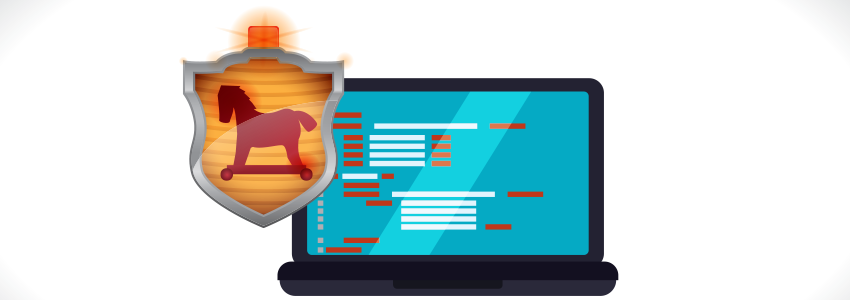
What Does a Trojan Horse Virus Do?
A Trojan horse virus is malicious software that disguises itself as a legitimate application or file to trick users into installing it. Once activated, it can steal sensitive information, install additional malware, create unauthorized remote access, monitor user activity, modify or delete files, and weaken system security. Unlike worms, Trojans do not spread on their own—they rely on users to download or execute them.
Because Trojan malware often operates silently in the background, infections may go unnoticed until data is stolen or system performance is affected.
A trojan horse virus is a common malicious program that hides inside harmless programs. What trojan horse virus do is that once it’s installed, the program will infect different files all throughout your system and unleash destruction. They can even send significant data from your PC over the web to the developer of the trojan horse virus. The developer can then control your PC, slowing your system’s activity or making it crash.
Trojan horse viruses are files intended to fool users into thinking they are real processes. What trojan horse virus do is that it might come as a PC game downloaded from a hijacked site. But the program regularly does nothing but make unauthorized access to the have system. Cybercriminals can utilize a trojan horse virus to steal an individual’s data. Unlike other PC viruses, trojan horse viruses don’t duplicate themselves.
How a Trojan Horse Virus Works
A typical Trojan infection follows these steps:
- The attacker disguises malware as a legitimate file or application.
- The user downloads or opens the infected file.
- The Trojan installs itself on the device.
- It connects to an attacker-controlled server.
- The malware performs malicious actions such as stealing data or downloading additional threats.
- The attacker gains unauthorized access or control over the compromised system.
Unlike self-replicating malware, a Trojan depends on social engineering to infect a device.
WHAT TROJAN HORSE VIRUS DO TO INFECT PCS?
In order for a trojan horse virus to contaminate your PC, it needs to install the server side of the application. This is done by social engineering. The creator of the trojan horse virus needs to persuade you to download the application. A trojan horse virus might be sent to you in an email message in the hopes that you will execute it. This is what trojan horse virus do. You need to, without intention or knowledge, run the .exe file to install the program. It doesn’t proliferate on its own like any other computer virus. When you execute the program, the trojan server is installed and will begin running every time you power up your PC.
The most common way a trojan horse virus spreads is through e-mail attachments. What trojan horse virus do is utilize spamming techniques to send out hundreds of emails to clueless individuals. The individuals who open the messages and download the attachment too conclusion up having their systems infected.
Types of Trojan Horse Malware
Common Types of Trojans
| Trojan Type | Primary Purpose |
|---|---|
| Backdoor Trojan | Provides remote access to attackers |
| Banking Trojan | Steals financial credentials and payment information |
| Downloader Trojan | Downloads and installs additional malware |
| Spy Trojan | Monitors user activity and collects sensitive data |
| Remote Access Trojan (RAT) | Gives attackers control of the infected device |
| Ransom Trojan | Delivers ransomware payloads |
| Fake Antivirus Trojan | Tricks users into installing fraudulent security software |
Understanding the Trojan type helps determine the appropriate response.
WHAT TROJAN HORSE VIRUS DO AND WHAT TECHNIQUES ARE USED?
This rundown will help you understand the various techniques of a trojan horse virus and what they do:
What Trojan Horse Virus Do on Email Attachments
A trojan horse virus can be disguised as a genuine email attachment. A cybercriminal may send a large number of messages that seem to originate from a reliable sender. The message urges the recipient to open the attachment.
What Trojan Horse Virus Do on Game Downloads
A trojan horse virus can contaminate a system through free game downloads. This occurs through illegal downloads shared through distributed systems.
What Trojan Horse Virus Do With Social Engineering
A trojan horse virus can be classified as a social engineering scheme. In this scheme, users are tricked into trusting that a malicious program is legitimate. Users must open the files to infect their PCs. So, be cautious with any spontaneous files you get. Ensure that you have a decent web security suite active at all times.
What Trojan Horse Virus Do on Messaging Applications
Cybercriminals may send files by means of instant messaging platforms. The sender may state that a file is a legitimate document. The file, when opened, will infect the system with a trojan horse virus.
What Trojan Horse Virus Do on Web Browser
A trojan horse virus can get into systems through browser vulnerabilities. For instance, software framework controls are uploaded to hacked sites to infect guests when downloading and starting a plug-in.
WHAT TROJAN HORSE VIRUS DO WITH ZOMBIES?
Sometimes it’s not even a person spreading malware. It’s possible for your own PC to do so if it’s been infected already. Cybercriminals can send out a trojan horse virus that transforms an innocent user’s PC into a zombie, so called because the individual with the infected PC rarely knows their system is under someone else’s control. Cybercriminals then use these zombie computer to send out more infections. In the end, it creates networks of zombie PCs, known as botnets.
Xcitium There are a few things you can do to shield yourself from a trojan horse virus. The easiest thing to do is never download any attachments or open any messages from unknown senders. Erasing these messages should easily deal with them. Installing antivirus software will also filter every file you download, regardless of if it’s from somebody you know, and protect you from anything malicious.
If you discover that your PC has been infected with a trojan horse virus, you should disconnect your web connection and remove questionable files with an antivirus program or by reinstalling your OS. You can call your nearby PC store, your PC’s manufacturer, or a proficient colleague if you need help.
Signs Your Computer Has a Trojan
Warning Signs of a Trojan Infection
You may have a Trojan infection if you notice:
- Slow system performance
- Frequent crashes or freezes
- Unexpected pop-up windows
- Unknown programs running
- Disabled antivirus protection
- Browser redirects
- High network activity
- Unauthorized account logins
- Missing or modified files
- Unusual system behavior
A full malware scan can help confirm whether a Trojan is present.
Trojan vs Virus vs Worm
Malware Comparison
| Trojan Horse | Virus | Worm |
|---|---|---|
| Disguises itself as legitimate software | Attaches to legitimate files or programs | Self-replicates automatically across networks |
| Requires user interaction to execute | Requires execution of an infected file | Spreads without user interaction |
| Often steals data or opens backdoors | Corrupts or modifies files | Consumes network and system resources |
| Does not self-replicate | Can spread through infected files | Rapidly propagates across connected systems |
This comparison helps users understand the differences between common malware types.
How to Remove a Trojan Horse Virus
Trojan Removal Steps
- Disconnect the infected computer from the network.
- Boot into Safe Mode if necessary.
- Run a full system scan with trusted antivirus or endpoint protection software.
- Quarantine or remove detected Trojan files.
- Install the latest operating system and application updates.
- Change passwords for important accounts after the device is confirmed clean.
- Monitor the system for unusual activity and perform a follow-up scan.
If sensitive business systems are affected, follow your organization’s incident response procedures.
How to Prevent Trojan Infections
Trojan Prevention Checklist
✔ Download software only from trusted publishers.
✔ Keep operating systems and applications updated.
✔ Use advanced endpoint protection.
✔ Scan email attachments before opening them.
✔ Avoid clicking suspicious links.
✔ Enable Multi-Factor Authentication (MFA).
✔ Restrict administrator privileges.
✔ Back up important files regularly.
✔ Enable real-time malware protection.
✔ Educate users about phishing and social engineering attacks.
A layered security approach significantly reduces the risk of Trojan infections.
Frequently Asked Questions About Trojan Horse Viruses
What does a Trojan horse virus do?
A Trojan horse virus disguises itself as legitimate software and, once installed, can steal sensitive information, install additional malware, create remote access, monitor user activity, or damage files and system settings.
Can a Trojan steal passwords?
Yes. Many banking Trojans, spyware Trojans, and remote access Trojans are designed to capture usernames, passwords, browser cookies, and financial information.
How do Trojans infect computers?
Trojans typically spread through phishing emails, malicious downloads, fake software, compromised websites, pirated applications, or infected attachments that trick users into running them.
Can antivirus software detect Trojans?
Yes. Modern antivirus and endpoint protection solutions use malware signatures, behavioral analysis, machine learning, and cloud threat intelligence to detect and remove Trojan malware.
Is a Trojan the same as a virus?
No. A Trojan disguises itself as legitimate software and depends on user interaction to execute, while a traditional virus infects files and replicates by attaching itself to other programs.
What should I do if I suspect a Trojan infection?
Disconnect the device from the network, perform a full malware scan, remove detected threats, update your software, change important passwords, and monitor the system for additional suspicious activity.
Related Resources

 Loading...