Minimizing Costs with Security & IT Automation Platform
Updated on October 21, 2022, by Xcitium
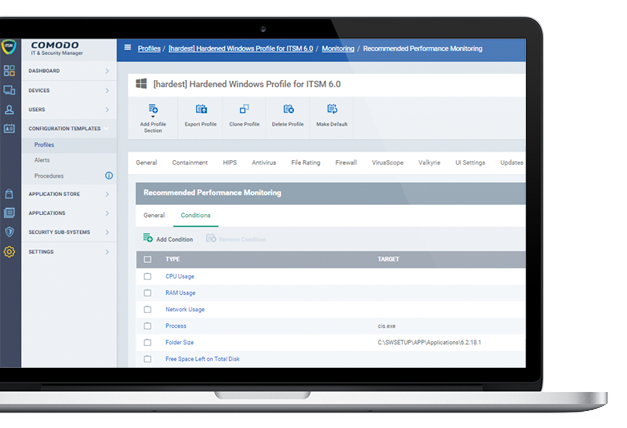
EASING ADMINISTRATION BURDEN WITH REMOTE MANAGEMENT MONITORING IT Automation Platform
Remote management, including ultra-fast remote desktop sharing and full device takeover as well as remote monitoring including full stealth, allows your IT team to provide support and ensure compliance throughout your distributed enterprise. Anti-theft features such as find-my-device, & ’sneak peak’ ensure lost or stolen assets can be investigated or recovered.
Core Capabilities of an IT Automation Platform
A modern IT automation platform should include:
- Automated endpoint management
- Software deployment
- Patch management
- Asset discovery and inventory
- Remote device management
- Endpoint security integration
- Policy automation
- Workflow automation
- Compliance monitoring
- Reporting and analytics
- Script automation
- Role-based access control
- Cloud and hybrid infrastructure support
These capabilities help IT teams simplify operations and improve service quality.
MOBILE DEVICE AND INVENTORY MANAGEMENT
Xcitium’s IT and Security Manager (ITSM) allows for the configuration of security policies and visibility into the security posture and health of your enterprise endpoints, while the ITSM Mobile Device Manager and Inventory Manager allow for the remote provisioning, configuration and control of android, iOS and Windows devices. ITSM allows organizations to perform tasks like restricting what actions a user can take on a corporate owned mobile phone, determine which unknown applications are running in containment enterprise-wide, remote wipe a device, and identify the geographic location of a device.
Common IT Automation Workflows
Organizations use automation platforms to:
- Deploy software automatically
- Install operating system updates
- Patch vulnerabilities
- Onboard new employees
- Configure security policies
- Reset user passwords
- Monitor endpoints
- Generate compliance reports
- Execute remediation scripts
- Remove unauthorized software
- Detect security incidents
- Schedule maintenance tasks
Automation allows IT staff to focus on higher-value strategic initiatives.
Manual IT Management vs IT Automation
Operational Comparison
| Manual IT Management | IT Automation Platform |
|---|---|
| Time-consuming processes | Automated workflows |
| Higher risk of human error | Consistent execution |
| Reactive maintenance | Proactive monitoring |
| Manual software deployment | Automated deployment |
| Separate management tools | Centralized platform |
| Slower incident response | Automated remediation |
| Difficult scaling | Easily manages thousands of endpoints |
Automation significantly improves operational efficiency.
Benefits of an IT Automation Platform
Organizations gain:
- Reduced operational costs
- Faster issue resolution
- Improved endpoint security
- Better compliance
- Increased employee productivity
- Reduced downtime
- Standardized IT operations
- Improved user experience
- Faster software deployment
- Simplified infrastructure management
These benefits contribute directly to business resilience and digital transformation.
Security Automation
An IT automation platform helps improve security by automating:
- Patch deployment
- Vulnerability remediation
- Endpoint monitoring
- Threat detection
- Policy enforcement
- Device isolation
- Security reporting
- Compliance validation
- Alert generation
Automating security tasks helps organizations respond to threats more quickly while reducing manual workloads.
Cloud and Hybrid IT Support
A modern IT automation platform should support:
- Cloud infrastructure
- Hybrid environments
- Remote endpoints
- Mobile devices
- Virtual machines
- Multi-site organizations
- Distributed workforces
Unified management simplifies administration regardless of where devices are located.
AI and Intelligent Automation
Artificial intelligence enhances automation by helping organizations:
- Predict potential issues
- Prioritize incidents
- Detect anomalies
- Recommend remediation actions
- Automate repetitive decisions
- Improve operational insights
AI reduces response times while improving service quality.
Frequently Asked Questions About IT Automation Platforms
What is an IT automation platform?
An IT automation platform is software that automates routine IT operations such as endpoint management, software deployment, patch management, monitoring, and security policy enforcement.
What are the benefits of IT automation?
IT automation improves operational efficiency, reduces manual work, strengthens security, accelerates issue resolution, improves compliance, and lowers IT operating costs.
Which IT tasks can be automated?
Organizations commonly automate software deployment, operating system updates, patch management, endpoint monitoring, user onboarding, compliance reporting, vulnerability remediation, and incident response.
How does IT automation improve cybersecurity?
Automation enables faster vulnerability remediation, consistent security policy enforcement, continuous monitoring, automated threat detection, and quicker incident response.
Can IT automation support remote workers?
Yes. Modern IT automation platforms manage remote devices, cloud workloads, mobile users, and hybrid environments from a centralized management console.
Is IT automation suitable for small businesses?
Yes. Small businesses benefit from reduced manual effort, simplified IT management, improved endpoint security, and scalable operations without significantly increasing administrative overhead.

 Loading...