HOW TO DETECT TROJAN VIRUS ON COMPUTER AND BE SAFE
Updated on October 21, 2022, by Xcitium
How to Detect a Trojan Virus on a Computer
You can detect a Trojan virus by monitoring unusual system behavior, running a malware scan, checking for unknown programs, reviewing startup processes, and analyzing network activity. Common warning signs include slow performance, unexpected pop-ups, disabled security software, and unauthorized account activity.
How To Detect Trojan Virus On Computer, Every computer is encountering different kinds of attacks every day and everyone should know how to detect a Trojan virus on the computer because the Trojan virus is one of the most common threats you can face these days.
If your computer is directly infected with a Trojan virus, there are a lot of unusual behaviors you will notice on your computer. You should be careful if you are storing some vital information on your computer. Trojan horse viruses might steal those data and use it to generate money from it. To protect your computer from the Trojan horse virus, it is important to be familiar with the threat.
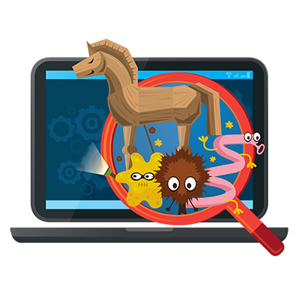
7 Ways to Detect a Trojan Virus
- Run a full malware scan.
- Check for unknown applications.
- Review startup programs.
- Monitor CPU and memory usage.
- Analyze network activity.
- Look for disabled security software.
- Watch for unauthorized account activity.
Multiple warning signs may indicate a Trojan infection that requires immediate investigation.
How To Detect Trojan Virus On Computer: Defining Trojan Horse Virus
Trojan horse virus is a malicious software program that is capable of damaging any computer. The Trojan horse virus can infect a computer or a mobile device without being notice and it could remain for a long time especially if the victim doesn’t know how to detect Trojan virus on computer.
Once it successfully enters the computer system, the Trojan horse virus scans the whole system and stealing of vital information is the main goal of this threat.
Signs Your Computer May Have a Trojan Virus
Common symptoms include:
- Slow system performance
- Frequent crashes
- Unexpected pop-up advertisements
- Browser redirects
- Unknown applications installed
- Disabled antivirus software
- High CPU usage
- Unusual network traffic
- Unauthorized account access
- Missing or modified files
The presence of multiple symptoms increases the likelihood of infection.
How To Detect Trojan Virus On Computer: Brief History of Trojan Virus
The first Trojan horse was discovered around 1980’s and during those times, a lot of computers were infected. Like the goal of today’s Trojan viruses, it was created to steal important data from the victim. Later on, it was continuously developed by hackers who are also familiar with forensic analysis. They are after the stealing of sensitive information that can be used for various purposes like blackmail and other social engineering techniques. If you don’t know how to detect Trojan virus on computer, the Windows 32 files will be targeted. Once it is infected, it would now be difficult to fix the problem.
How To Detect Trojan Virus On Computer: Identifying Trojan Horse Virus
The first indication that a Trojan virus has entered your computer is when it acts very strange and the behavior of the whole computer is different.
It would help you to know how to detect Trojan virus on computer if you will notice that the desktop screen has changed. You will notice a big difference in the color of the screen and the screen resolution has also changed. Sometimes, the screen will turn upside down for no reason at all.
It would help you to know how to detect Trojan virus on computer if you will notice that your antivirus or any security software was disabled. A Trojan horse virus has the capability of disabling your anti-virus software can deny you from accessing it. This would make you hard to remove the Trojan virus that entered your computer.
It would help you to know how to detect Trojan virus on computer if you will notice some changes in your taskbar. A good sign that your computer is already infected with a Trojan horse virus when the taskbar disappears altogether.
It would help you to know how to detect Trojan virus on computer if you will notice some changes to your web browser software. You will notice that the default home screen of your browser has changed without your intervention and you were redirected with a promoting website.
It would help you to know how to detect Trojan virus on computer if you will notice there are lots of annoying pop-ups. Aside from normal advertisements that you will see on the internet, you will be annoyed with the numerous pop-ups on your screen that offers a lot of products or sometimes offers you a security solution. If you accidentally click the link, it will download more malware into your computer.
It would help you to know how to detect Trojan virus on computer if you will notice programs running on your task manager. Sometimes you cannot open the task manager itself.
It would help you to know how to detect Trojan virus on your computer if you will notice some changes in your wallpaper. The wallpaper on your desktop might also be affected if it was infected by a Trojan horse virus. There will be some changes to the program icons and other desktop applications.
It would help your to know how to detect Trojan virus on computer if you will notice that the mouse moves by itself or vice versa. You will also notice that some functions on your mouse performs differently.
Xcitium It would help you to know how to detect Trojan viruses on the computer if you will notice some unusual messages appearing on your screen and there are also weird graphic displays.
Trojan Virus Detection Methods
| Detection Method | What It Identifies |
|---|---|
| Anti-Malware Scan | Known Trojan signatures |
| Behavioral Analysis | Suspicious activity patterns |
| Startup Review | Unauthorized launch programs |
| Network Monitoring | Malicious outbound connections |
| Process Inspection | Hidden or suspicious processes |
| EDR/XDR Platforms | Advanced Trojan behaviors |
How Trojan Viruses Avoid Detection
Trojan malware often uses:
- Process injection
- Code obfuscation
- Registry modifications
- Rootkit functionality
- Disguised file names
- Encrypted communications
These techniques help attackers maintain access while avoiding traditional security tools.
How to Check for a Trojan Manually
Review Installed Programs
Look for:
- Unknown software
- Recently installed applications
- Programs without trusted publishers
Inspect Startup Programs
Review applications configured to launch automatically.
Check Running Processes
Identify suspicious processes consuming unusual resources.
Analyze Network Connections
Look for unexpected outbound traffic to unknown IP addresses or domains.
What Can a Trojan Virus Do?
A Trojan virus may:
- Steal passwords
- Capture banking information
- Monitor user activity
- Download additional malware
- Create backdoors
- Encrypt files
- Record keystrokes
- Exfiltrate sensitive business data
Understanding these risks helps users respond quickly to suspected infections.
Trojan Detection Checklist
✓ Run a full malware scan
✓ Review installed programs
✓ Check startup applications
✓ Monitor network activity
✓ Investigate high CPU usage
✓ Review browser extensions
✓ Check security software status
✓ Monitor account activity
✓ Analyze suspicious processes
✓ Use endpoint detection tools
What to Do If You Detect a Trojan Virus
- Disconnect the computer from the network.
- Run a full anti-malware scan.
- Quarantine or remove detected threats.
- Delete suspicious applications.
- Change passwords from a clean device.
- Enable multi-factor authentication.
- Monitor accounts for suspicious activity.
- Perform a follow-up scan.
Early removal reduces the risk of data theft and system compromise.
How to Prevent Trojan Virus Infections
- Avoid suspicious email attachments
- Download software from trusted sources
- Keep operating systems updated
- Use advanced endpoint protection
- Enable multi-factor authentication
- Train users on phishing threats
- Conduct regular malware scans
Preventive controls are often more effective than remediation.
Frequently Asked Questions
How do I know if I have a Trojan virus?
Common indicators include slow performance, unknown programs, unusual network activity, disabled security software, and suspicious account activity.
Can antivirus detect Trojans?
Yes. Most modern antivirus and endpoint protection solutions can detect known Trojan malware and many advanced variants.
What is the fastest way to detect a Trojan?
Running a full malware scan combined with monitoring system processes and network activity is typically the fastest detection method.
Can a Trojan steal passwords?
Yes. Many Trojans are designed to capture credentials, banking information, and sensitive personal data.
Can a Trojan hide from antivirus software?
Some advanced Trojans use obfuscation, rootkits, and other stealth techniques to evade detection, which is why behavioral analysis and EDR tools are valuable.

 Loading...