WHAT MAKES ANTIVIRUS AND ANTI MALWARE SOFTWARE IMPORTANT?
Updated on August 18, 2026, by Xcitium
Antivirus anti malware software is essential, particularly in this age of advanced malware attacks. It protects you from cyber threats and saves you the trouble brought about by malware infections.
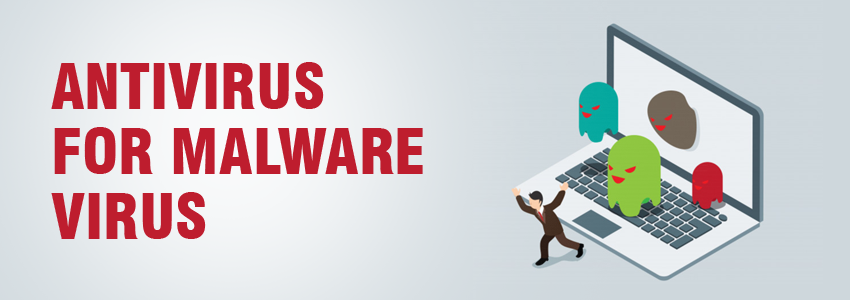
What Is Antivirus Anti Malware Protection?
Antivirus anti malware protection refers to security software designed to detect, block, quarantine, and remove malicious software from computers and other endpoints.
Traditionally, antivirus software focused on computer viruses and other established threats. Anti-malware became a broader term for protection against malicious software such as ransomware, spyware, Trojans, worms, rootkits, and other threats.
Today, however, the distinction is much smaller. Modern antivirus products commonly protect against many types of malware rather than computer viruses alone.
What Is the Difference Between a Virus and Malware?
Before comparing antivirus and anti-malware, it helps to understand virus vs. malware.
Malware is an umbrella term for malicious software.
It can include:
- Viruses
- Ransomware
- Trojans
- Spyware
- Worms
- Rootkits
- Keyloggers
- Malicious scripts
- Other unwanted or malicious software
A computer virus is one particular form of malware. It typically attaches itself to files or programs and can replicate when infected content is executed.
Therefore:
All computer viruses are malware, but not all malware is a computer virus.
This distinction is central to understanding why modern security products increasingly use antivirus and anti-malware terminology interchangeably.
Antivirus vs Anti-Malware: What’s the Difference?
Historically, antivirus and anti-malware products had clearer differences. Today, their capabilities frequently overlap.
| Antivirus | Anti-Malware |
|---|---|
| Originally designed for computer viruses | Designed around the broader malware category |
| Traditionally relied heavily on known signatures | Often associated with broader detection techniques |
| Historically targeted established threats | Often associated with newer and evolving threats |
| Modern products detect many malware types | Modern products may provide similar protection |
| May include real-time protection | May include real-time and on-demand protection |
The product’s actual security capabilities matter more than its label.
Instead of choosing software simply because it says “antivirus” or “anti-malware,” evaluate what threats it detects and which prevention, detection, investigation, and response technologies it provides.
Modern antivirus solutions may use behavioral analysis, heuristics, sandboxing, machine learning, and other techniques in addition to malware signatures.
Antivirus vs Anti-Malware at a Glance
Antivirus
Traditionally associated with:
- Virus detection
- Signature-based scanning
- Known malware
- File scanning
- Real-time protection
- Quarantine and removal
Anti-Malware
Traditionally associated with:
- Broader malware detection
- Ransomware
- Spyware
- Trojans
- Potentially unwanted applications
- Emerging threats
- Behavioral detection
Modern Endpoint Security
May combine:
- Antivirus
- Anti-malware
- Behavioral detection
- Endpoint Detection and Response
- Threat intelligence
- Attack surface reduction
- Automated investigation
- Threat containment
Microsoft provides a good example of this convergence: Microsoft Defender Antivirus provides protection against viruses, malware, and potentially unwanted applications, while its broader Defender for Business offering adds capabilities such as EDR, vulnerability management, attack-surface reduction, and automated investigation and response.
Do I Need Both Antivirus and Anti-Malware?
Not necessarily.
Because modern antivirus and anti-malware products frequently provide overlapping functionality, installing two separate security products is not automatically better.
Instead, ask whether your security solution provides:
- Real-time malware protection
- Ransomware protection
- Behavioral detection
- Web protection
- Phishing protection
- Automatic security updates
- On-demand scanning
- Quarantine
- Malware remediation
- Protection against potentially unwanted applications
Businesses should consider additional capabilities such as EDR, centralized management, vulnerability management, automated response, and security monitoring.
Using multiple security tools can provide layered protection, but organizations should ensure they are compatible and properly configured rather than installing overlapping products without a clear security purpose.
What Threats Can Antivirus and Anti-Malware Detect?
Modern security software may protect against several threat categories.
Computer Viruses
Viruses can attach to files or applications and spread when infected content is executed.
Ransomware
Ransomware may encrypt files, steal information, disrupt operations, or prevent users from accessing systems.
Trojans
Trojans disguise malicious functionality as legitimate applications, files, or downloads.
Spyware
Spyware attempts to monitor activity or collect information without appropriate authorization.
Worms
Worms can replicate and spread between vulnerable systems.
Rootkits
Rootkits attempt to hide malicious activity and may help attackers maintain persistent access.
Keyloggers
Keyloggers can capture keyboard activity and potentially expose passwords or sensitive information.
Potentially Unwanted Applications
Some security products also detect applications that may not meet the strict definition of malware but can create unwanted or risky behavior.
The exact coverage varies between security products, so users should verify supported protection features rather than assuming every antivirus anti malware solution offers identical capabilities.
How Does Antivirus Anti Malware Software Work?
Modern malware protection can use several detection methods.
1. Signature-Based Detection
The security product compares files against known malware patterns or signatures.
This method is useful for identifying previously classified threats.
2. Heuristic Analysis
Heuristics examine characteristics that may indicate malicious software even when an exact known signature is unavailable.
3. Behavioral Detection
Behavioral security looks at what a process actually does.
Suspicious behaviors might include:
- Unexpected file encryption
- Process injection
- Credential-access attempts
- Unusual script execution
- Security-control tampering
- Suspicious persistence
- Abnormal child processes
4. Reputation Analysis
Files, URLs, domains, and other indicators may be evaluated using reputation and threat-intelligence information.
5. Machine Learning
Some modern security products use machine-learning models to help classify suspicious files or activity.
Current antivirus products increasingly combine several approaches rather than relying solely on traditional signatures.
Is Antivirus Enough for Modern Cybersecurity?
For basic personal-device security, modern antivirus can provide an important protection layer.
For organizations, however, antivirus alone may not provide enough visibility or response capability.
Modern attacks can involve:
- Stolen credentials
- Phishing
- Fileless techniques
- Malicious scripts
- Legitimate administration tools
- Cloud account compromise
- Lateral movement
- Data exfiltration
- Exploited vulnerabilities
These activities may require security capabilities beyond traditional malware scanning.
Antivirus vs EDR
| Antivirus | EDR |
|---|---|
| Primarily prevents and detects malware | Continuously monitors endpoint activity |
| Often focuses on individual threats | Provides broader investigation context |
| Quarantines malicious files | Helps reconstruct endpoint activity |
| Primarily prevention-oriented | Detection, investigation, and response |
| Useful for baseline protection | Useful for advanced enterprise security operations |
For businesses, antivirus can therefore form one layer of endpoint protection rather than the entire cybersecurity strategy.
Antivirus Anti Malware for Business
Business endpoints hold valuable information and often provide attackers with access to larger networks.
Organizations should look beyond basic malware scanning and consider security capabilities such as:
- Centralized endpoint management
- Real-time protection
- Behavioral detection
- EDR
- Automated containment
- Threat hunting
- Vulnerability management
- Web protection
- Email security
- Security reporting
- Incident investigation
- Managed Detection and Response
Microsoft similarly distinguishes its basic antivirus capabilities from broader business endpoint protection that adds EDR, attack-surface reduction, vulnerability management, and automated investigation and remediation.
WHY IS ANTIVIRUS ANTI MALWARE SOFTWARE IMPORTANT?
1. Antivirus Anti Malware Software Protects you from Malware that is Growing More Sophisticated
Malware keeps growing more sophisticated. According to the cyber security companies’ predictions, malware evasion will rise in 2019. In the past, traditional antivirus anti malware software could counter malware in no time. Over the years, the malware authors have realized that traditional malware would no longer work, as antivirus anti malware software kept getting better at detecting malware. So, they have developed advanced evasion techniques to bypass antivirus anti malware software.
From an executable malware, we now deal with Polymorphic and fileless malware. Polymorphic malware has no fixed signature. It can change its patterns and presents a valid signature to get past an antivirus anti malware software. While fileless malware attacks the computer memory to remain invisible in the file system.
If malware keeps getting more sophisticated, so do the antivirus anti malware software. Cyber security firms also continue to innovate their antivirus anti malware software to combat new age threats. By closely analysing newly discovered malware, they develop malware removal techniques against advanced malware. So, if you don’t have antivirus anti malware software on the computer, download a trusted malware removal tool now. It protects your computer from evolved malware.
2. Antivirus Anti Malware Software Protects you from Increasing Malware Attacks
As malware keeps growing more sophisticated, malware attacks become rampant. Do you know that there are 2,000 attacks that happen every day? That number is just for ransomware attacks alone. Most malware is deployed by phishing emails, which is the leading cause of malware infections. According to CSO, 92 percent of malware were distributed by phishing emails in 2018. Spear Phishing or a phishing email tricks many users because it creates a sense of urgency. A user who is unaware of how social engineering works, will easily fall victim to a spear phishing attack.
Spear phishing is not the only leading cause of malware infections, drive-by-download also contributes to increasing malware attacks. It installs malware secretly in the background. When users visit a malware infected website, malware installs without their knowledge. Without antivirus anti malware software on the computer, this will go undetected. Antivirus anti malware software detects spear phishing and drive-by-downloads that prevents malware attacks.
WHAT IS THE BEST ANTIVIRUS ANTI MALWARE SOFTWARE TO DOWNLOAD?
Now that we know why antivirus anti malware software is important, it is highly recommended to invest in a reputable antivirus anti malware software to stay safe even if malware attacks are growing fast. However, if you are not ready to invest in anti-malware software yet, there are malware removal tools free downloads on the Internet such as Xcitium Anti Malware.
Xcitium Anti Malware protects your personal computer against varieties of cyber threats. It monitors your computer quietly in the background to prevent the entry of malicious software. It never interrupts your computer activities. It is also lightweight, so it doesn’t slow down your computer. Download it now for free.
WHAT IS THE BEST ANTIVIRUS ANTI MALWARE FOR AN ENTERPRISE?
A business network needs more advanced malware protection because it contains valuable data from the company. According to Small Business Trends 43 percent of malware attacks target small enterprises. If you are looking for a reputable security solution with endpoint protection, try Xcitium Advanced Endpoint Protection.
Xcitium Advanced Endpoint Protection protects the network and endpoint devices from advanced cyber-attacks.
Against ransomware attacks, it sends the Auto-Containment built on Default Deny. The Auto-Containment may be a sandbox-based technology that automatically quarantines any untrusted files. It prevents ransomware from reaching the file system. It also detects spear phishing and drive-by-downloads.
To prevent fileless malware attacks, Xcitium Advanced Endpoint Protection deploys the Host Intrusion Prevention System. It protects the computer memory and registry against fileless malware attacks. It also monitors the keyboard against direct access to prevent keyloggers from stealing passwords.
Xcitium Advanced Endpoint Protection also prevents DDoS attacks by filtering network traffic and data transmission. The data sent to and received by endpoint devices go through the firewall to detect malicious activities in no time.
Xcitium Advanced Endpoint Protection has a cloud-based database that provides a verdict in only 40 seconds. So any malicious files are identified instantly.
Investing in an effective security solution is essential to keep your business safe from fast-growing malware. Contact us now for a live demo or download Xcitium Advanced Endpoint Protection today.
What Should You Look for in Antivirus Anti Malware Software?
Use the following checklist when evaluating security software.
Detection Capabilities
Look for protection against:
- Viruses
- Ransomware
- Trojans
- Spyware
- Worms
- Potentially unwanted applications
- Suspicious behaviors
Prevention
Consider whether the product provides:
- Real-time monitoring
- Web protection
- Malicious download protection
- Exploit protection
- Ransomware protection
Detection Technology
Evaluate support for:
- Signatures
- Heuristics
- Behavioral analysis
- Reputation
- Machine learning
- Threat intelligence
Business Features
Organizations should also evaluate:
- Centralized administration
- EDR
- Investigation capabilities
- Endpoint isolation
- Automated remediation
- Security reporting
- API integrations
- MDR availability
Free vs Paid Antivirus Anti Malware
| Free Protection | Paid/Business Protection |
|---|---|
| May provide basic malware scanning | Often includes broader security capabilities |
| Suitable for some personal use cases | Designed for business or higher-risk environments |
| May have limited management features | May provide centralized administration |
| Usually limited enterprise functionality | May include EDR and automated response |
| Support may be limited | Often includes additional support options |
Price alone does not determine protection quality.
Evaluate security capabilities, independent testing where applicable, support, platform compatibility, manageability, privacy, and organizational requirements.
Signs Your Device May Need a Malware Scan
Consider performing a malware scan if you notice:
- Unexpected pop-ups
- Browser redirects
- Unknown applications
- Significant unexplained slowdowns
- Security software becoming disabled
- Unusual network traffic
- Unexpected CPU activity
- New browser extensions
- Missing or encrypted files
- Unknown startup programs
- Suspicious account activity
These symptoms do not automatically prove that malware is present. Software problems and hardware issues can cause similar behavior.
However, unexplained changes are a good reason to investigate.
What Should You Do If Antivirus Finds Malware?
If security software detects malware:
- Review the alert.
- Quarantine the suspicious item.
- Remove confirmed malware.
- Restart the device if instructed.
- Run a full system scan.
- Install pending security updates.
- Update browsers and applications.
- Change affected credentials if theft is suspected.
- Enable multi-factor authentication.
- Run another scan after remediation.
- Monitor the device for recurring suspicious activity.
Business users should also notify their IT or security team and follow established incident-response procedures.
Antivirus Anti Malware Best Practices
For stronger protection:
- Keep real-time security enabled.
- Install operating system updates.
- Patch applications regularly.
- Keep security software current.
- Use multi-factor authentication.
- Avoid unexpected attachments.
- Verify suspicious links.
- Download software from trusted sources.
- Use strong, unique passwords.
- Maintain tested backups.
- Limit administrative privileges.
- Monitor endpoints for suspicious behavior.
Security software works best as part of a layered security strategy.
Frequently Asked Questions About Antivirus Anti Malware
Is antivirus the same as anti-malware?
The terms increasingly overlap. Antivirus originally focused specifically on viruses, while anti-malware described protection against the broader category of malicious software. Modern antivirus products commonly protect against viruses, ransomware, spyware, Trojans, and other malware.
Is malware the same as a virus?
No. Malware is the broader category, while a virus is one specific type of malware. Other malware categories include ransomware, Trojans, spyware, worms, and rootkits.
Do I need antivirus and anti-malware at the same time?
Not always. Many modern security products combine both capabilities. Check the product’s actual protection features rather than relying only on whether it is labeled antivirus or anti-malware.
Which is better: antivirus or anti-malware?
Neither term alone tells you which product provides better protection. Compare detection methods, real-time protection, ransomware defenses, behavioral detection, remediation, updates, and business security capabilities.
Does antivirus remove malware?
Many antivirus products can detect, quarantine, and remove malware. Exact remediation capabilities depend on the security product and threat.
Can antivirus detect ransomware?
Modern antivirus and endpoint security products may detect ransomware using signatures, behavior monitoring, machine learning, reputation, and other technologies. Capabilities vary by product.
Is antivirus enough for a business?
Antivirus provides an important security layer, but businesses may need EDR, vulnerability management, identity security, email and web protection, centralized monitoring, automated response, and incident-response capabilities.
RELATED SOURCES:
Malware Removal Tools
What is Malware Scanner?
Best Online PC Scan Tools
What is Firewall Security?
Get Free Trial Now
Antivirus And Malware Removal

 Loading...